


XME TRIGGERS
4.816.00 Reviews
App Specs
- Version
- 2.0.4
- Updated On
- License
- Free
- Downloads
- 10,000+
- Developer
- XME Inc.
- Categories
- Music & Audio
- Platform
- Android
Screenshots
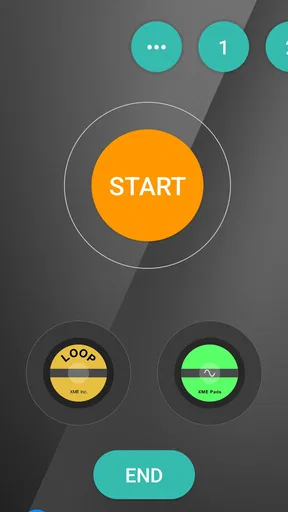
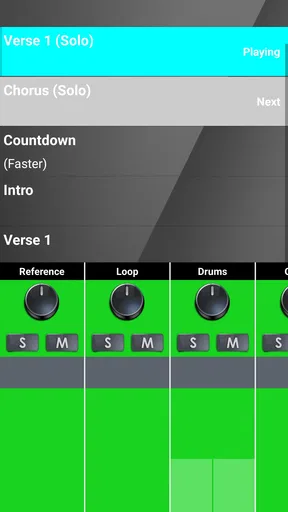
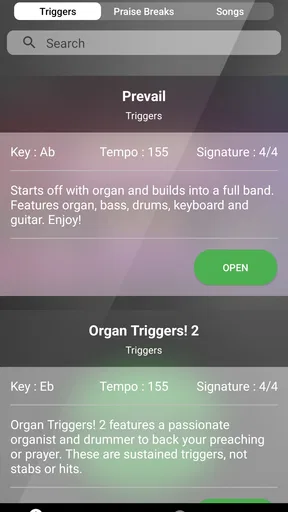
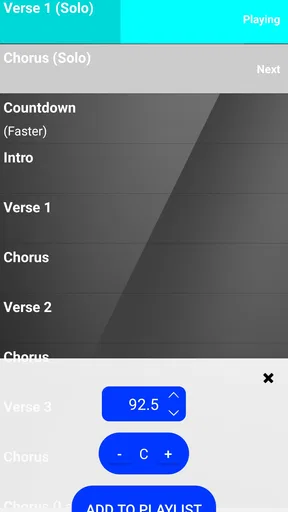
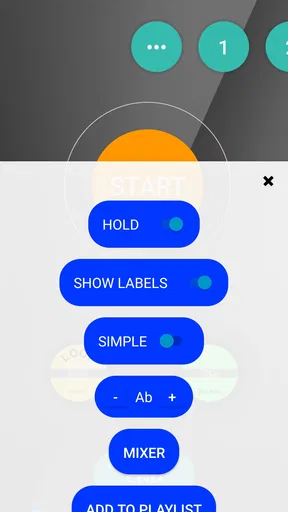
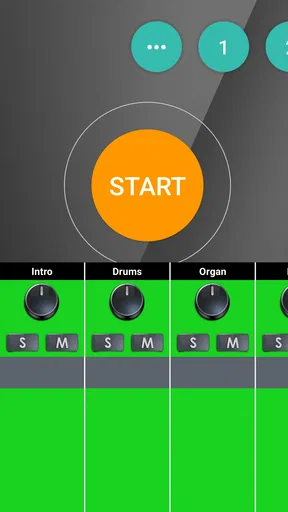
 Analysis by AppCompare
When I first looked at XME TRIGGERS, I did not see it as another general music player. Its purpose is narrower and more practical: it is a music and audio tool built around worship settings, where the right musical cue, atmosphere, and transition can matter as much as the song itself. That focus makes it interesting for worship leaders, church musicians, production volunteers, and anyone who needs a more organized way to support a live service.
The app is free to install, carries an Everyone age rating, and comes from XME Inc. Its current version is 2.0.4, and it requires Android 10 or later. The public response is encouraging, with a 4.8 average from around 126 ratings and more than 10K installs. Those figures suggest a focused audience rather than a mass-market music service, which matches my impression after using it: this is not trying to replace Spotify, a DAW, or a full live-sound console.
From a worship idea to a usable trigger setup
The creative starting point is where the app makes the most sense. A worship set can begin with a simple idea: create a calm opening, reinforce a transition, add energy before a chorus, or give a speaker a musical bed. In a normal music app, I would have to search for tracks, queue them manually, and rely on a phone screen or another person to manage playback. A trigger-oriented tool is more useful when the goal is to make those moments repeatable.
I found the strongest use case in preparation rather than casual listening. Before a service, I would think through the order of the set and identify the moments that need support. Instead of treating every audio element as a separate emergency decision, I could approach the service as a sequence of planned cues. That change in mindset is important. The app is valuable when it helps a team move from “we need something here” to “this is the cue we will use, and this is when it should happen.”
The monthly positioning is also clear. The store summary presents the experience as costing just $10 per month, while the app itself is free to install and includes in-app items ranging from $9.99 to $109.99 per item. I would not treat the free download as proof that every useful part of the workflow is free. Anyone responsible for a church budget should check the purchase screen carefully before building a complete setup around it.
That pricing structure creates a practical question: is the app meant for an individual musician, a small worship team, or a larger production group? In my view, it is most appealing to a team that has a recurring need for prepared worship cues. If you only need to play a song from time to time, a conventional music app may be simpler. If you regularly prepare services and want more control over supporting audio, the investment becomes easier to justify.
Who benefits from a trigger-based approach
I would recommend starting with a specific service problem rather than installing the app and expecting it to organize everything automatically. For example, a worship leader might need a dependable opening atmosphere while people gather. A keyboard player might want support during a transition between songs. A volunteer could need a straightforward way to follow the planned order without searching through a large personal library.
Worth Reading Before You Choose

Flipboard Shows What News Apps Must Do Beyond the Feed

Switching to Android Auto Means Rethinking Your Driving Routine

Google Calendar Makes a Crowded Week Easier to Manage

Ludo King Makes the Most of the Minutes Between Plans

Baby Panda World Brings Quick Play to Modern Phones, but Its Game Library Feels Busy

ESPN’s Live Game View Makes Following Close Games Easier
There is also a useful distinction between creative control and technical control. XME TRIGGERS can fit into a creative preparation process, but it should not be mistaken for a complete replacement for microphones, instruments, monitoring, mixing, or a trained operator. The app can support the musical plan; it cannot compensate for a poorly rehearsed service or an audio system that is not ready.
For that reason, I would avoid introducing it for the first time during an important event. Build a small test arrangement first. Use only the cues needed for one section of a service, rehearse the timing, and observe how the person operating the app behaves under pressure. This is one of the less obvious lessons with trigger tools: a technically capable setup can still fail if the operator has too many choices at the wrong moment.
Building the working process instead of collecting sounds
The making process should begin with a simple map of the service. I would write down the intended sequence, mark every point where a cue is needed, and separate essential triggers from optional decoration. That last step matters. A worship environment can become distracting when every pause has an effect or every transition carries extra audio. The best result usually comes from using fewer cues with clearer purpose.
In practical use, I would prepare three layers of information. First, I would note the musical or spoken event that starts the cue. Second, I would identify the person responsible for activating it. Third, I would record what should happen immediately afterward. This creates a handoff-friendly workflow. A volunteer does not need to understand the entire creative concept if the next action is obvious and the consequence is known.
One of my favorite planning tips is to name cues by their function rather than by vague creative labels. “Opening atmosphere” is easier to understand during a live service than “track one.” “Prayer transition” is more useful than “ambient two.” Clear naming reduces hesitation, especially when several people may operate the setup on different weeks.
Another useful habit is to prepare a reduced version for rehearsal. Keep the cues that establish timing and remove anything that could distract the team while they are learning the arrangement. Once the musicians and speakers are comfortable, add the supporting elements back one at a time. This makes it easier to tell whether a problem comes from the musical arrangement or from the trigger workflow.
The app’s category, Music & Audio, describes its home clearly, but its real value is organizational. I would not use it as my main listening destination. I would use it as part of a planned production routine in which audio is attached to moments in a service. That makes it different from a streaming app, where discovery and uninterrupted listening are the main goals.
A realistic Sunday workflow
Imagine a small worship team preparing for a Sunday morning service. On a weekday, the leader decides that the opening needs a gentle atmosphere, the transition into prayer needs a separate cue, and the closing should end without a rushed silence. I would set up those moments in advance, then ask the volunteer operator to rehearse the order while the leader speaks and the musicians play.
During rehearsal, the team should test the human timing, not just the audio. Does the operator know the cue is coming? Can they identify it without stopping to read a long label? Does the leader leave enough space for activation? If a musician changes the length of a section, is there a safe way to delay the next action? These questions reveal whether the setup is genuinely usable.
This is where a trigger-focused app can be stronger than a basic playlist. A playlist assumes that the next item follows the previous one in a predictable order. A worship service often does not work that way. A prayer may last longer, a speaker may pause, or a leader may repeat a chorus. A prepared trigger workflow can be more adaptable, provided the person operating it understands the plan and does not treat it as an unattended playlist.
The trade-off is that flexibility creates responsibility. The more a team depends on live cues, the more important rehearsal and communication become. I would keep a simple backup plan available, such as continuing with instruments and voices if a cue is missed. That is not a criticism of this app specifically; it is good practice for any live audio system.
Editing the arrangement through small, deliberate iterations
Iteration is where I would expect the most real-world learning. The first setup is rarely the best one because the effect of a cue depends on the room, the musicians, the speaker, and the person operating it. A sound that feels subtle in headphones may feel prominent through a church system. A transition that seems perfectly timed in rehearsal may arrive too early when a prayer runs longer.
I would review each cue after a service using three questions: did it support the moment, did it arrive at the right time, and did it create extra work for the operator? If the answer to the first question is no, remove or replace the cue. If the timing was wrong, adjust the workflow rather than simply blaming the operator. If it created too much work, simplify the sequence.
A concrete improvement is to reduce duplicate choices. If two cues serve nearly the same purpose, keep the one that is easier to recognize and activate. This may sound basic, but it prevents a common production problem: a setup becomes complicated because every possible option is preserved. A smaller set of dependable choices is often more useful than a large library that slows down decisions.
I would also separate creative revision from technical troubleshooting. If a cue sounds wrong, first decide whether the content itself is unsuitable. Only then investigate timing, routing, or operation. Mixing those questions together can lead to endless adjustments without a clear artistic result.
Because the app is aimed at worship use, the best iteration is not necessarily the most dramatic. I would listen for whether the cue leaves room for the congregation, the speaker, and the musicians. Supporting audio should usually frame the moment rather than compete with it. This is an area where personal taste matters, but restraint is a practical advantage in a live room.
Keeping the operator in control
One non-obvious strength of a trigger workflow is that it can make responsibility visible. Instead of assuming that someone will “handle the audio,” the team can decide who watches the sequence and who communicates changes. I would assign one person to operate the cues and one person to make last-minute creative calls when possible. In a small team, one person may do both, but the roles should still be understood.
I would avoid changing the setup immediately before a service unless the change fixes a serious problem. Last-minute edits create uncertainty about what the operator will see and what the leader expects. A better approach is to keep a tested version and prepare an experimental version separately. If the experiment works during rehearsal, it can become part of a later service.
Another practical tip is to rehearse interruptions. Stop a cue, skip a planned moment, or extend a spoken section and see how the operator recovers. This reveals more than a perfect run-through. A live worship service contains natural variation, so a useful setup must tolerate human pacing rather than demand exact performance.
Handoff, delivery, and the limits of the tool
The handoff stage is often overlooked. A creative setup is not finished when the original creator understands it; it is finished when another prepared person can use it without guesswork. I would create a short operating note with the order of the service, the purpose of each cue, and the action to take if a moment changes. Keep it concise. A long document is unlikely to help someone who is already managing a live event.
Before relying on the app, I would confirm that the device running it is ready for the environment. Check the operating system requirement, charge the device, silence unrelated notifications, and test the connection to the sound system. These are ordinary precautions, but they matter because the app is part of a larger chain. A good trigger arrangement can still be undermined by a phone that is not prepared for live use.
I would also make sure the team understands what the app is and is not delivering. It is a focused worship audio tool, not a complete publishing platform, recording studio, or replacement for a digital audio workstation. If your main goal is to edit multitrack recordings, sculpt detailed effects, or produce finished songs for release, a dedicated production application will be a better choice. If your main goal is to coordinate supporting audio during worship, this narrower design is more relevant.
The same comparison applies to ordinary music players. A streaming service is better for discovering songs, building personal playlists, and listening casually. A standard media player may be better when you simply want to press play and avoid a specialized workflow. XME TRIGGERS becomes more compelling when audio must be attached to a planned live moment and operated by someone who is following a service structure.
There is also a budget decision. The installation is free, but in-app purchases are listed from $9.99 to $109.99 per item, and the store summary highlights a $10 monthly approach. I would decide what the team actually needs before spending. Start with the smallest useful arrangement, evaluate whether it saves time or improves consistency, and only then consider expanding. This prevents the common mistake of paying for a broad setup before proving that the workflow fits the team.
The Everyone rating makes the app approachable from an age-classification perspective, but that does not mean every user will find it equally easy. A person unfamiliar with live audio may still need guidance from a worship leader or sound volunteer. The app can organize cues, but it cannot teach the fundamentals of timing, levels, monitoring, or room acoustics.
My verdict for creators and worship teams
After looking at the app as a working tool from idea to delivery, I see XME TRIGGERS as a specialized solution with a clear audience. Its strongest quality is focus. It encourages a team to treat worship audio as a prepared sequence of meaningful moments instead of a collection of tracks played whenever someone remembers them.
I would recommend it to worship leaders, church production teams, and musicians who regularly need repeatable audio support around services. It is particularly suitable when a team has enough structure to rehearse, assign an operator, and review what worked afterward. The app can be useful for a small group, but only if that group is willing to keep the setup simple and communicate clearly.
I would skip it if you are looking for a general music player, a full recording studio, or an advanced editing environment. I would also be cautious if your team rarely rehearses or if nobody has clear responsibility for live audio. In those situations, a simpler playback method may be more reliable, even if it offers fewer creative options.
My practical recommendation is to begin with one service section and a small number of clearly named cues. Test the timing with the actual leader and musicians, rehearse an interruption, and ask someone else to operate the setup. If that handoff feels natural, the app is solving a real problem. If it feels confusing, adding more content will not fix the underlying workflow.
With a 4.8 average and a growing base of over 10K installs, the app has attracted enough attention to be worth considering, but those figures should not replace a hands-on trial with your own team. The right question is not whether it can make worship sound more polished in theory. The right question is whether it helps your particular team prepare, communicate, and deliver each moment with less uncertainty.
My final opinion is positive but measured: the app is most valuable when it becomes part of a disciplined worship process. Used that way, it can turn a vague creative intention into a repeatable live cue system. Used without rehearsal or a clear plan, it may simply add another screen and another responsibility. For the teams it fits, that focused approach is exactly its advantage.
Pros
- Supports customizable trigger settings for different play styles.
- Compact design fits comfortably in most gaming setups.
- Responsive controls make rapid actions easier to perform.
- Useful for players seeking more control in compatible games.
- Setup is generally straightforward for experienced mobile gamers.
Cons
- Compatibility may vary between Android and iOS devices.
- Some features require games or devices with controller support.
- Trigger placement can feel awkward on certain phone cases.
- May need occasional adjustment to prevent unwanted inputs.
- Limited value for players who rarely use mobile gaming accessories.
FAQs for XME TRIGGERS
What is XME TRIGGERS and what can I use it for?
XME TRIGGERS is an app designed to help users create or manage trigger-based actions, depending on the supported devices, services, and integrations. Before downloading, check the app’s current description and compatibility details because available functions may vary by platform. It may be useful for automation, alerts, device control, or workflow shortcuts, but the exact experience depends on your setup.
Is XME TRIGGERS compatible with my Android or iOS device?
Compatibility should be checked before installation, especially if you are using an older phone or tablet. XME TRIGGERS may require a specific operating-system version, permissions, connectivity options, or compatible hardware to work correctly. Some features can also differ between Android and iOS. Review the official store listing and required permissions to confirm that your device meets the app’s technical requirements.
Does XME TRIGGERS require an internet connection or additional hardware?
The connection requirements depend on which triggers and actions you want to use. Basic parts of the app may work locally, while cloud-based services, remote control, notifications, or synchronization can require an active internet connection. Certain functions may also depend on compatible accessories, smart devices, accounts, or third-party services. Check the supported integrations before downloading if you need a particular setup.
Is XME TRIGGERS free to download, and are there in-app purchases?
The download price and available payment options can change over time and may differ between Google Play and the App Store. Some versions may be free with optional purchases, subscriptions, or premium features, while others may have limitations in the free edition. Read the current store listing carefully to understand pricing, trial periods, advertisements, and renewal terms before installing.
What permissions and privacy information should I consider before using XME TRIGGERS?
Because trigger-based apps often need to monitor events or communicate with other services, XME TRIGGERS may request permissions related to notifications, connectivity, device access, background activity, or personal data. Only grant permissions that are necessary for the features you intend to use. Review the app’s privacy policy and store disclosures, and disable access you do not need whenever the operating system allows it.


